Screen: availHeight property
Baseline
Widely available
This feature is well established and works across many devices and browser versions. It’s been available across browsers since July 2015.
The read-only Screen interface's
availHeight property returns the height, in CSS pixels, of
the space available for Web content on the screen. Since Screen is
exposed on the Window interface's window.screen
property, you access availHeight using window.screen.availHeight.
You can similarly use Screen.availWidth to get the number of pixels
which are horizontally available to the browser for its use.
Value
A numeric value indicating the number of CSS pixels tall the screen's available space
is. This can be no larger than the value of window.screen.height,
and will be less if the device or user agent reserves any
vertical space for itself.
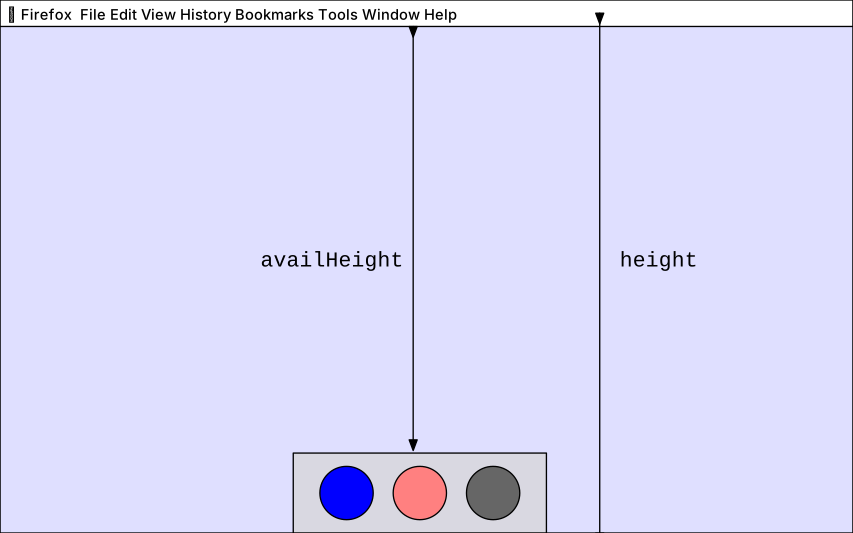
For instance, on a Mac whose Dock is located at the bottom of screen (which is the default), the value of availHeight is approximately the value of height (the total height of the screen in CSS pixels) minus the heights of the Dock and menu bar, as seen in the diagram below. They only take up availHeight if they are always shown: if the page is fullscreened, or if the dock is configured to automatically hide and show, then they won't be counted in availHeight.
Examples
If your web application needs to open a new window, such as a tool palette which can contain multiple panels, and wants to position it so that it occupies the entire vertical space available, you can do so using code similar to what's seen here.
In the main window, when it's time to open the panels, code like the following is used.
const paletteWindow = window.open(
  "panels.html",
  "Panels",
  "left=0, top=0, width=200",
);
The Panels window's HTML, in panels.html, has JavaScript code of its own,
which is executed as soon as the window is created. It doesn't even need to wait for any
particular event (or any event at all). That code handles resizing the window based on
the available space:
window.outerHeight = window.screen.availHeight;
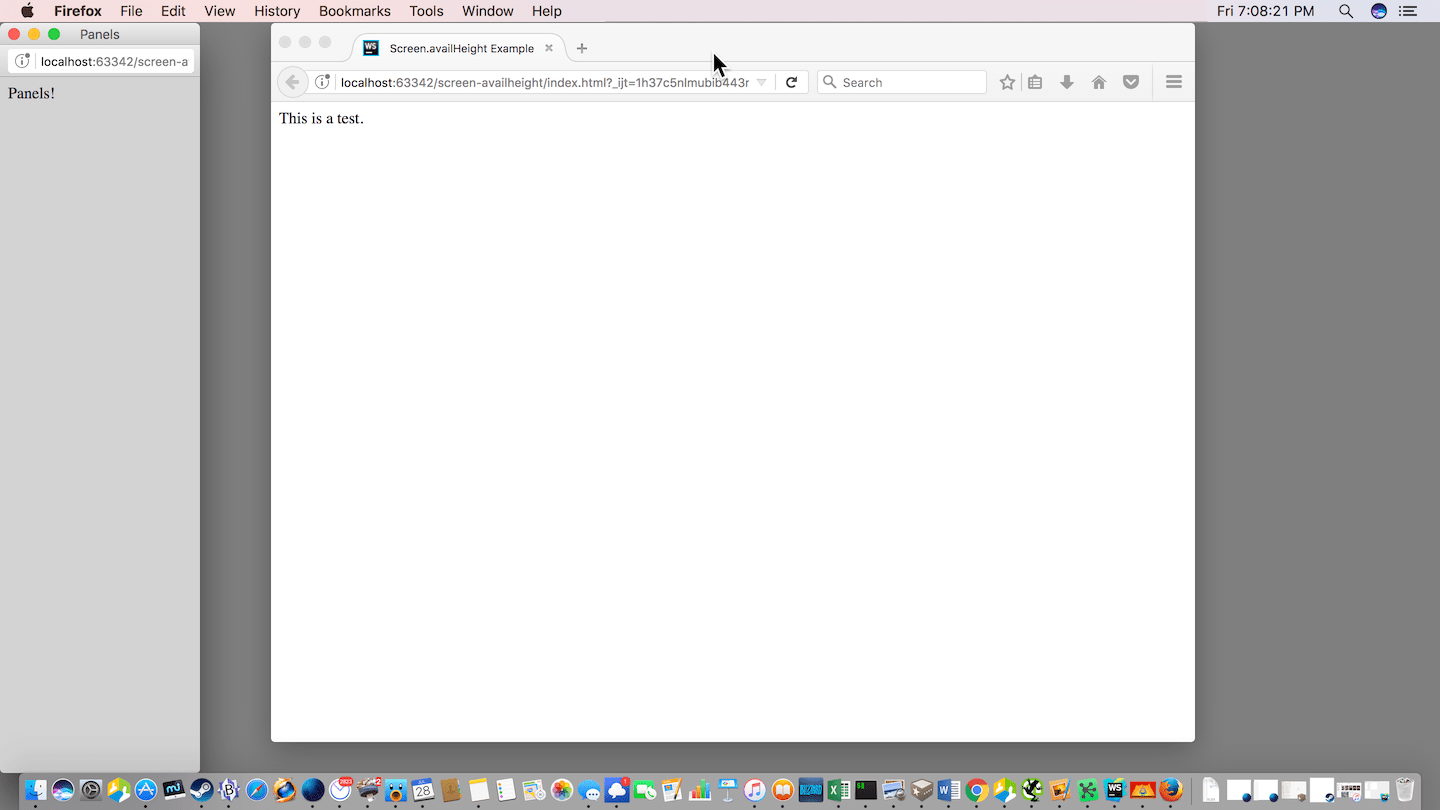
The result is something similar to the below. Note the Panels window filling all available vertical space at the left of the screen.
On a Windows system, this would function similarly, by opening the window and sizing it vertically so it uses all available vertical space, leaving room for the taskbar and any other interface elements that reserve space.
Specifications
| Specification |
|---|
| CSSOM View Module # dom-screen-availheight |
Browser compatibility
| desktop | mobile | |||||||||||
|---|---|---|---|---|---|---|---|---|---|---|---|---|
availHeight
|
|
|
|
|
|
|
|
|
|
|
|
|
Legend
Tip: you can click/tap on a cell for more information.
- Full support
- Full support
- See implementation notes.